Free Vacation Planner

A free vacation planner is not a stripped-down version of a paid one. The five things that actually decide how a trip goes, the budget math, the countdown, the master sheet, the packing list, and the day-by-day plan, are all documents. A spreadsheet and a printed page do every one of them, permanently, with no account and no subscription.
What money buys in this category is convenience: automatic email parsing, collaboration for large groups, and prettier layouts. Useful sometimes. None of it is the plan.
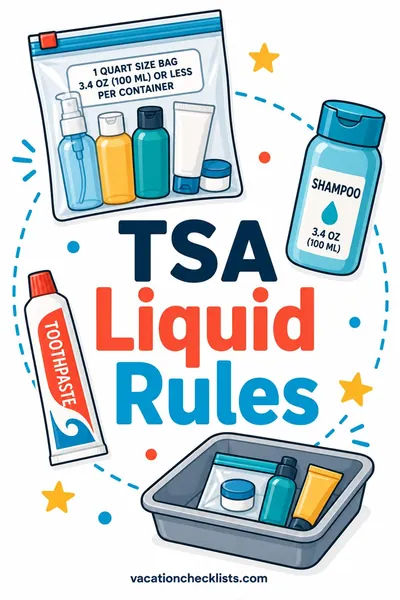
Free and worth using first: our Can I Bring It? checker settles the items people argue about while packing, so nothing gets surrendered at the checkpoint.
Updated September 2026
A note on numbers. This page gives you the budgeting method, the templates and the sources to check, not dollar figures. Fares, lodging rates, baggage fees and local prices move constantly and vary by region, and a number printed here would be wrong for most trips within weeks. Build your own figures from live listings using the method below.
What a free vacation planner needs to include
Five documents. Build them in a spreadsheet and a notes app, and you are done.
| Document | What it does | Free tool that handles it | Where it falls short |
|---|---|---|---|
| Budget sheet | Sets the ceiling and tracks against it | Any spreadsheet app | No live currency rates unless you add them by hand |
| Countdown | Dated task list from 16 weeks out to departure | Spreadsheet, or calendar reminders | You have to set the reminders yourself |
| Master sheet | One page of confirmations, addresses, contacts | Document, printed and saved offline | Manual entry, about 15 minutes per trip |
| Packing list | The checkable list | Printed list or a notes app | No airline or security rule awareness |
| Day-by-day plan | The loose daily shape | Spreadsheet tab or a doc | No live transit times |
The limitations column is worth reading twice, because it tells you exactly what a paid tool would be buying you. For most trips the answer is fifteen minutes of typing, which is not worth a subscription.
Free tools you almost certainly already have
- A spreadsheet app. Free tiers of the major office suites cover everything here.
- A calendar. Reminders at 12 weeks, 6 weeks, 2 weeks, and 3 days out do the work of a planning app.
- A notes app with offline sync. For the master sheet on the phone.
- An email label or folder named for the trip. Every confirmation goes in it as it arrives, which removes the single most common last-week scramble.
- A phone camera. Photograph your passport data page, insurance card, and any paper tickets, and store the images behind your device lock.
- A printer, once. One printed page beats every app on the day your battery dies.
The free budget sheet, with the math
The only formula that matters is per-person-per-day, because it lets you compare trips of different lengths.
(Total ceiling minus fixed costs) divided by (travelers times usable days) equals your daily allowance.
Fixed costs are the ones that do not change if you stay an extra day: airfare, insurance, visas, airport parking, a flat-rate rental car.
Work it in this order, filling every figure from a live listing rather than from memory or from an article:
- Write the ceiling first. The total you are willing to spend on this trip, decided before you look at a single fare. Doing it in this order is what stops the trip from quietly growing to match what you find.
- Count usable days, not calendar days. A six day trip with two travel days has four usable days. Arrival afternoons and departure mornings are not days you can spend on activities, and counting them is the most common reason a daily allowance feels impossible once you arrive.
- List the fixed costs and total them. Flights, insurance, visas, airport parking, any flat rate car. Pull each one from an actual search result on the day you build the sheet.
- Subtract fixed costs from the ceiling. What remains is everything that scales with time.
- Take lodging out next, using the nightly rate from three real listings rather than an average you remember. Lodging is the largest scaling cost on almost every trip, so it is the one worth checking hardest.
- Divide what is left by travelers times usable days. That figure is your daily allowance for food, local transport and activities, and it is the only number you actually have to hold in your head on the trip.
Then take the contingency out on its own line before you start spending. Ten percent of the total sits in a separate row that you do not touch. Fold it into the food row instead and you will spend it, and still tell yourself the trip came in on budget. Use 15 percent rather than 10 for international travel, for multi city routes, or for anywhere with a currency you do not follow closely.
The whole point of building it this way is that every input comes from a live source on the day you plan. A daily allowance copied from an article is a guess about somebody else's trip in a different year. Check lodging against three real listings, glance at current menu prices for the neighborhood you are actually staying in, and rebuild the sheet each year rather than reusing an old one.
A second reason to keep the sheet rather than the number: next year the estimated versus actual columns will tell you which category you personally underestimate. Almost everyone has one, it is usually food or local transport, and knowing yours is worth more than any published average.
Set the sheet up in about ten minutes
Four columns: item, category, estimated cost, actual cost. Six category rows: transport, lodging, food, activities, local transport, contingency. A total row. That is the whole thing. The estimated-versus-actual pair is what makes it useful next year, because it shows you which category you always underestimate.
Free sources that are better than paid ones
Some of the best planning material costs nothing because a government or an operator is publishing it directly.
- Official tourism offices. Most US states and many countries publish a vacation guide, often free as a download and sometimes mailed on request. Order it from the official state or national tourism site rather than a third party. These are promotional, so read them for events, seasons, and geography rather than for objective ranking.
- Government travel advisories. Your own government's advisory pages are the correct source for entry requirements, safety notes, and embassy contacts. This is the one category where nothing else is an acceptable substitute, and where the information genuinely changes.
- National and state park services. Official park sites carry reservation windows, seasonal road closures, and permit systems, which are the details that decide whether a park trip works. Useful alongside our national park packing list.
- Transit authority sites. Local transit operators publish real schedules and current fares. Third-party summaries go stale.
- Airline and airport sites. The only correct source for current baggage allowances, fees, and terminal information. Fees change, so check them rather than repeating a figure from an article, then compare against checked bag fees explained for how the categories work.
- Public libraries. Many lend current guidebooks and provide free access to travel databases with a library card. This is the least used free resource in travel planning.
One caution on anything labeled a free planning service
Some free planning offers are lead generation for timeshare presentations, vacation clubs, or a specific booking channel. The tells are consistent: a required phone call, a "certificate" for discounted lodging, a request for your income or homeowner status, or a free stay contingent on attending a presentation. A genuine tourism office asks for a mailing address and nothing else. If a form asks what you earn, it is not a planner.
The free countdown
Set four calendar reminders and you have replaced most of what a planning app does. Adjust the top of the list outward for international travel or anything requiring a visa.
| Reminder | Tasks |
|---|---|
| 12 weeks out | Confirm time off in writing. Check passport expiration. Set the budget ceiling. Book refundable lodging. |
| 6 weeks out | Buy flights. Book timed entries and any rental car. Start a visa application if one applies. |
| 2 weeks out | Refill prescriptions, arrange pets and mail, notify your bank, draft the day-by-day. |
| 3 days out | Reconfirm every booking directly, check in online, download offline maps, print the master sheet. |
The reconfirmation step at 3 days is the highest-value free thing on this page. It is when a third-party booking turns out not to have reached the property, which is a fixable problem at three days and a ruined arrival at zero days. Call or email the property directly, using their own contact details.
A fuller version of this timeline, with the reasoning behind each window, is in our vacation planner guide.
The free master sheet
One page. Print it, save it offline, and send a copy to one person at home.
| Field | Fill in |
|---|---|
| Outbound and return flights | Airline, number, date, times, confirmation code |
| Lodging | Name, full address in local format, phone, check-in window, confirmation |
| Airport to lodging | The plan, plus a named fallback |
| Emergency contacts | One at home, one local, plus an insurance claims number |
| Documents | Passport number and expiration, where copies are stored |
| Money | Cards brought, bank fraud line, daily cash target |
| Medical | Allergies, medications by generic name, policy number |
The reason this exists on paper is the dead-battery case. Everything else in your plan can live on a phone. This one page has to survive the phone.
The free day-by-day plan
One tab, one row per day, five columns. That is the entire format, and it beats most paid itinerary builders because it is impossible to over-schedule inside it.
| Column | What goes in it |
|---|---|
| Day and date | Include the weekday, since closures are weekday-based |
| Anchor | The one thing that would make the day worth it |
| Loose second | Optional, only if the anchor ends early |
| Rain plan | An indoor option in the same neighborhood |
| Notes | Booked or not, opening hours, walking distance |
Two rules make it work. One anchor per day, not three. And the arrival day gets no anchor at all, because you will be tired and something will run late. If you have eight usable days you are writing eight anchors, which forces you to choose, and choosing is the part that makes a trip feel good.
The Notes column also doubles as your verification list. Anything with an opening time or a price written in it is a thing to confirm on the operator's own site before you build a day around it.
What is actually worth paying for
Being thorough about the free option means being honest about its edges. Three things are usually worth money:
- Travel insurance, when a meaningful part of the trip is prepaid and nonrefundable, or when your health coverage does not follow you abroad. This is the clearest case in travel spending. Travel insurance explained covers what each coverage type pays for.
- Collaboration for a large group, where a shared tool genuinely beats emailing a spreadsheet around. Six or more people is roughly the threshold.
- Automatic confirmation parsing, for trips with many bookings, where manual entry stops being a fifteen minute job.
Notice what is not on that list: the plan itself. Everything that determines how the trip goes is free to build, and takes about an hour the first time.
Frequently asked questions
Is a free vacation planner good enough for an international trip?
Yes, and the documents matter more there, not less. What changes on an international trip is the lead time and the sourcing: passports, visas, and vaccination timing push the top of the countdown out to four to six months, and entry requirements must come from official government pages. The planning documents themselves are identical. Our international travel checklist covers the extra rows.
Where can I get a free printed vacation guide?
From the official tourism office of the state, region, or country you are visiting. Most publish a downloadable version, and many still mail a printed one on request. Order from the official site, not from an aggregator that asks for more than a mailing address. Expect promotional content, and use it for events, seasonal timing, and geography rather than for rankings.
What is the best free trip planning template?
The one you will still be able to open in three years, which in practice means a spreadsheet. Four tabs cover a trip: budget, countdown, master sheet, and day-by-day. Our travel itinerary template gives you the day-by-day and master sheet layouts to copy in.
Are free planning apps worth installing?
The free tiers of most planning apps are genuinely usable for a single trip. Check two things before you rely on one: that your itinerary is readable with the phone in airplane mode, and that you can export your trip to a file. An app that fails either test should never be your only copy of a booking.
How do I plan a cheap trip, not just plan it for free?
Different problem, and the levers are dates, distance, and lodging type rather than planning tools. Shifting travel by a few days, flying into a nearby airport, and staying somewhere with a kitchen usually move the total more than any booking trick. How to save money on travel works through the levers in order of size.
Do I need to pay for a packing list?
No. A good packing list is a checkable list matched to your destination and season, and free versions do that fine. What no list can do, free or paid, is track current airline and security rules, so confirm anything liquid, sharp, or battery powered before you close the bag. Start from the travel essentials checklist and edit it down.
How long does the free system take to set up?
About an hour for the first trip, most of it spent on the budget sheet and the master sheet. Every trip after that is roughly twenty minutes, since you copy last trip's file and change the details. That reuse is the actual reason the free approach wins: the documents accumulate, and a subscription does not.